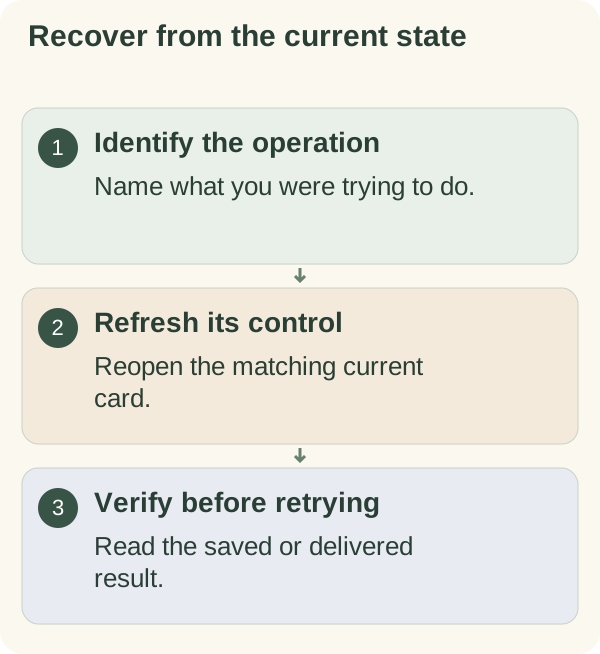
Start with the operation that failed and its current status. Reopen the matching card, check what was saved or delivered, then use the relevant recovery step. An acknowledgement or an old Telegram message is not proof of completion.
Access or wallet setup is stuck
For email verification, check the newest companion code and its expiry. Use the current resend instruction if needed; do not repeatedly guess or provide a Telegram login code. See email recovery.
For wallet linking, return to a fresh official bot prompt. Review the expected ownership-message signature and the connected address. A wallet transaction or recovery-phrase request is not the expected linking step. Use the wallet guide.
An access limit, expired entitlement and unavailable balance provider need different actions. Read the current account status before repeating setup. Never send secret wallet information to someone offering to fix it.
A reminder or reply did not arrive
Open /settings and check the saved time zone and global stop or pause. Choose Messages to inspect the relevant category and the feature's own time. For checklist reminders, use /today to inspect its reminder status. An enabled preference does not prove a message was delivered.
/quiet or /stop applies globally. /notifications or /resume lifts that stop while preserving category choices. Service availability, quiet hours, eligibility and delivery checks still matter. Use the message-control guide, time-zone guide or feature-tip guide.
If a requested check-in appears late or twice, inspect /memory before adding another. Later defers that individual check-in rather than cancelling it. See scheduled check-ins.
A card or control looks outdated
Telegram retains old cards. Reopen the current one before acting:
| What you want to inspect | Command |
|---|---|
| Today's tasks | /today |
| Goals and steps | /goals |
| Habits or focus plan | /habit or /focus |
| Saved records | /memory |
| Message preferences | /settings |
Check the refreshed result before retrying an uncertain change. A stale item may have changed, expired or been removed elsewhere.
Dashboard, photo, export or deletion problems
For a private dashboard session, return to /features in the private bot chat and launch it again. A public page does not authenticate your account. Read dashboard recovery.
Photo understanding has separate consent and file requirements. Read the photo guide before resending an image or changing that consent.
For /export, wait for the actual .json.gz document. For /forget, wait for an explicit completed result. A busy, pending or failed message does not prove delivery or deletion. Use the export and deletion instructions.
Still cannot resolve it
Open /tutorials for the matching guide or /privacy for the processing summary. Keep the error wording and the action you attempted. Remove private conversation text, codes, personal records and secret wallet information from any public report.
Use the project's stated support route when the supported recovery step remains unavailable. An uncertain money or data result needs inspection before a repeat action, rather than repeated taps on an old confirmation.