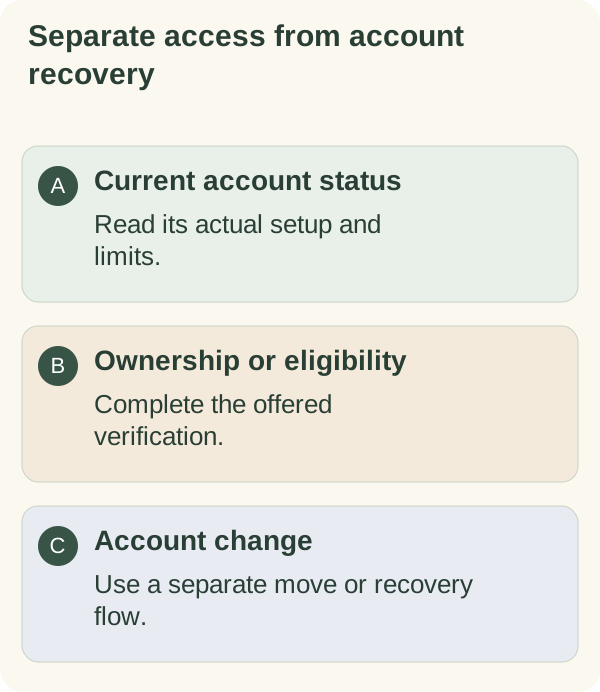
Read the current access status in your private companion chat before choosing a setup or recovery action. Account rules can differ by release and eligibility; an email verification, wallet signature or invitation does not by itself establish ongoing access.
Follow the access path shown to you
Open the private chat with @armoredkitten_bot and send /start. Confirm the 18+ card (tap Change language first if you want another language) and complete any account steps offered to you. If an age confirmation is required, answer it yourself; the guide does not substitute for that choice.
The current service can apply different holder, trial or beta rules. Read the status and limits displayed for your account instead of assuming a universal offer. An invitation, gift email or verified address does not replace those checks.
Use the quick start, email guide or wallet guide for the step actually requested.
Understand trial timing and limits
If a limited period is offered, check its start, expiry, included features and remaining allowance in the bot. Some generated messages can share an allowance with automatic model responses. A saved task or a button press is not necessarily a model message.
One-time eligibility protections can survive account deletion. Do not assume /forget, another wallet or another invitation resets an earlier entitlement. An existing account whose earlier trial has ended may get one more limited period, once. It starts automatically the next time you open the Mini App or write to the bot, or during the day if automatic messages can reach you, and the bot normally announces it once in the chat. Use the bot's current status for your account; this guide does not promise a new trial or a fixed duration.
Understand wallet-holder access
When holder access is offered, review the displayed token and balance requirement. The service checks the linked public address under its configured rules. A price or balance can change, and an unavailable provider can prevent a fresh result.
The linking flow uses an ownership-message signature. It does not transfer tokens or guarantee lasting access. Only link a wallet you control; do not buy a token on the assumption that a guide guarantees future access or value.
Recover from a pause or unavailable check
Read whether the bot reports a limit, missing setup, unavailable check or expired entitlement. Those conditions need different actions. Follow the current retry or setup instruction and verify the resulting status rather than repeatedly generating new links.
If the linked address is wrong, use the supported linking flow from the private chat. If you are changing Telegram accounts, use the separate process below.
Move your memory to a new Telegram account
If you still control the current Telegram account, send /move there. Keep the one-time code private and follow its expiry instruction. From the destination account's private bot chat, use /claim with that code as instructed. The destination must have no conflicting companion or trial history; some beta accounts cannot use this flow.
If you cannot access the old Telegram account but still control the wallet already linked to it, start /recover from a clean destination account. Review the destination-bound recovery message and sign only the expected request with the previously linked wallet. A different wallet cannot prove control of that existing account.
After a successful move or recovery, the new Telegram identity opens the same bot-held memory and the old identity is retired. This does not move tokens or bypass current access requirements. Read the actual confirmation. If the destination is rejected for existing history, do not delete accounts just to experiment; follow the supported response.
An export is a downloadable snapshot, not a way to merge two accounts or upload an old conversation. Review privacy boundaries before changing identities.