Feature tips introduce a companion control and its walkthrough. Treat a tip as an optional invitation to explore, then choose whether to open the feature, dismiss that topic or pause future tips.
Check whether tips are on
Open /settings in the private chat, choose Messages and inspect the feature-tip status and disclosure. Setup can initialise disclosed preferences; the saved card shows your current choice. Tips also depend on daily messages and service availability.
Use Pause feature tips to pause that category or its resume control when you want it back. A category switch does not lift a global stop. /notifications or /resume lifts the global stop while preserving individual choices; it does not turn every category on.
You can use a feature or read its tutorial without waiting for a scheduled tip.
What is recorded
While tip tracking is enabled and unpaused, the service can record interaction times and identifiers for features you open or use. The topic records do not contain chat text, task or goal titles, wallet details or photos. A missing interaction record cannot tell the companion whether you already know a feature or why you avoid it.
The topic picker uses those feature records and previous tip delivery state. Separate eligibility and safety checks can consider recent activity and conversation context before allowing outreach; the limited topic record is not a description of every check the service performs.
Interaction records are pruned under the current 90-day retention window. The export includes retained tip settings and history. Review privacy controls for broader record choices.
When a tip may arrive
The current scheduler limits tips to daytime, normally 09:00–21:00 in the saved time zone. Lessons and tips share one daily limit. In the first three days after your trial starts (or after you join, when no trial applies), about five and at most six can arrive in a day. After that it is one a day; if you raised the tutorial pace to 4 or 5, more can arrive. While daily tutorials are on, those first three days allow two hours between them; otherwise tips stay at least four hours apart. Unanswered tips do not slow them down; use Opt out on a tip when shown, or Pause feature tips in Settings → Messages, to pause tips until you resume them in Settings. These are limits rather than a delivery schedule you can rely on.
A send also needs the enabled category, a valid time zone, eligible access and other outreach checks. Tips can still arrive when you have not chatted for a while; an ongoing conversation delays one. A global stop, quiet hours or unavailable service can prevent it. The picker avoids topics with recorded use or an earlier tip in the retained state.
Read an action's label before selecting it. Some actions open a card; the weekly-reflection action requests a /week response using selected recent information with Ollama Cloud, or with the DeepSeek API as a fallback. A tutorial link lets you read the workflow before choosing its action.
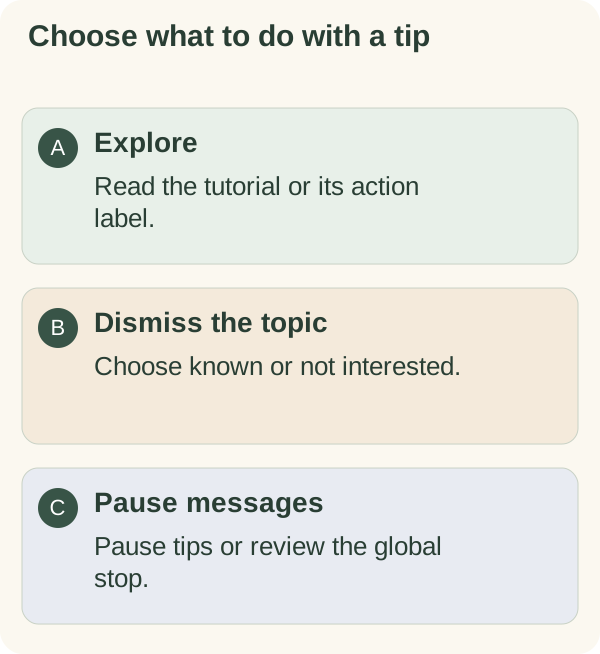
Choose what happens next
Use Already know this to acknowledge a topic, Not interested to suppress it without describing your knowledge, or Opt out when shown to pause the tip channel. After your like is saved, future tips hide both feedback buttons. The bot also tries to update the message you tapped. To remove the saved like, use the feature-like controls on the private Mini App’s More tab when available; feedback controls then return on future tips. You can still pause tips in /settings → Messages in the bot. Check the resulting confirmation. None requires you to explain a personal reason.
If a control is stale, reopen Settings or /tutorials. Use the global message controls when you want more than the tip channel paused, or the weekly-reflection guide before requesting that response.