Change message delivery
- Step 1Identify the message type
- Step 2Use the matching setting
- Step 3Verify the confirmation
Use the global stop when you want automatic companion messages to stop, or change one category when only that channel is unwanted. Stopping outreach keeps your saved records; deleting data is a separate action.
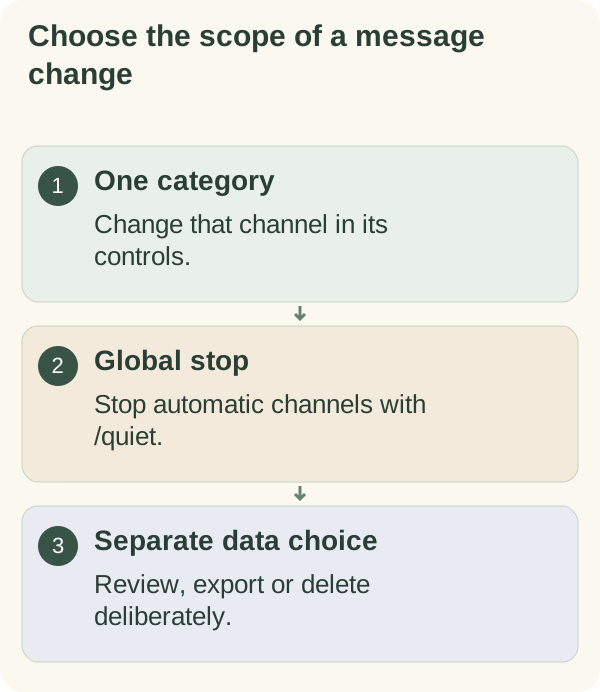
Choose what to pause
For one channel, use its own control: daily messages under Settings → Messages, checklist reminders on /today, or the relevant calendar or follow-up setting. A category control does not override a global stop.
For all automatic companion channels, send /quiet or /stop in the private chat. This includes daily notes, conversation starters, requested follow-ups and calendar reminders. Read the resulting status. Replying to the companion does not silently restart those channels. A message that answers your own action can still arrive: if opening the Mini App starts a new trial, the bot sends one chat message about it even while the stop is on.
To lift the global stop, use /notifications or /resume. Review the displayed categories afterward: resuming retains their saved choices rather than turning every category on. Current account and service restrictions can still prevent delivery.
Until your like for a feature is saved, most of its automatic messages offer 👍 I like this and Opt out; a one-time reminder offers the like alone. Once your like is saved, future messages for that feature hide both feedback buttons. The bot also tries to update the message you tapped. To remove the saved like, use the feature-like controls on the private Mini App’s More tab when available; feedback controls then return on future messages. Likes and delivery are separate: a like never turns a feature on or lifts a pause or stop. To get fewer of one kind of message, tap Less often or Opt out on that message. To pause everything, use Pause or Stop in /settings. Ordinary coaching messages can also offer Less often, Pause and Stop. Read the selected pause duration and status before leaving the card. Reduced frequency is different from a stop. Unanswered messages do not slow ordinary outreach; a requested follow-up has separate scheduling rules and still obeys applicable stop, quiet-hour and access controls.
Cancel one planned follow-up
Ask to cancel the specific pending check-in. If several could match, use the subject and ID available in /memory. After confirmation, review the plan again. A cancellation request alone is not evidence that the record changed.
Choosing Later on a delivered check-in defers it by two hours. It does not cancel it. Use the scheduled check-in guide for the request and verification steps.
Keep data while stopping outreach
A stop or pause leaves saved companion records in place. Use /memory to review them or /export to request a private copy. Use /forget only when you intend the separate deletion process, and read its confirmation carefully.
Telegram chat history and provider-held information have separate controls. Continue to data deletion or the privacy guide before treating a message stop as data removal.