Use story preferences to change which examples are eligible for your future daily rotation. Hiding a story or topic changes selection; it does not delete a published source, pause every message or explain your reasons to the companion.
Hide one story
Under a daily story, choose Hide this story and read the confirmation. The preference applies to that story in your account's future rotation. It does not remove the earlier Telegram message.
If the control is unavailable, return to the current Settings card. An old button is not reliable evidence that a new preference was saved. You do not have to explain why you want to hide something.
Review or restore hidden stories
Open /settings, choose Personalization, then Story preferences, to check the hidden-story count. To clear individual exclusions, choose Show hidden stories and review the offered confirmation before proceeding.
Restoration makes those stories eligible again. It does not choose the next story or guarantee another send. Country preference, topic exclusions, daily-message format and delivery conditions still apply.
Hidden-story preferences can appear in your data export. The full deletion flow has broader account effects than restoring a story list.
Skip or restore a whole topic
In Settings, open Personalization and choose Story topics. Use the offered Skip or Include control for the intended topic, then read the named result. Show all topics again clears topic exclusions.
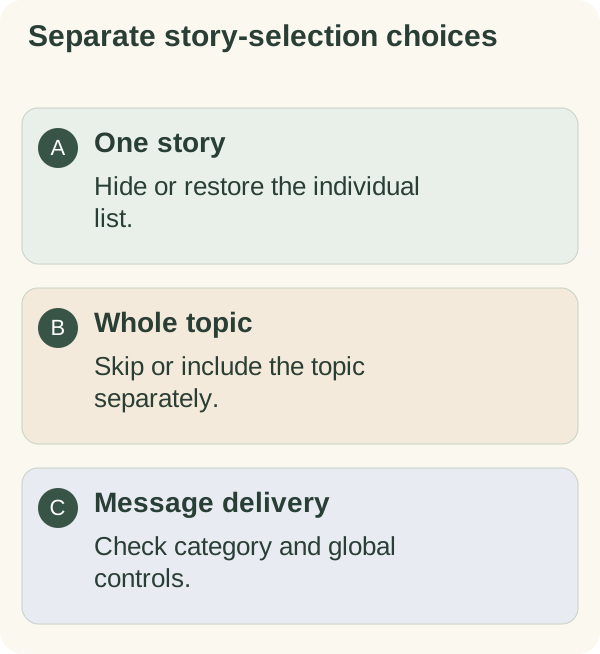
Individual story exclusions and topic exclusions are separate. Restoring a topic does not clear your individual hidden-story list, and clearing that list does not necessarily restore a skipped topic.
When story preferences are unavailable
Reopen Settings to check the current saved preferences. A paused daily-message category or a global stop can prevent delivery even when some stories remain eligible. A hide preference is not a request to turn every channel off.
Use message controls for a broader pause. Use sources and takeaways if your question concerns the story's meaning or accuracy, or country preferences to review a regional choice.