Decide before deleting
- Step 1Read the deletion scope and check any Plus or payment questions
- Step 2Export first if you want a copy
- Step 3Confirm when ready and check the bot’s final status
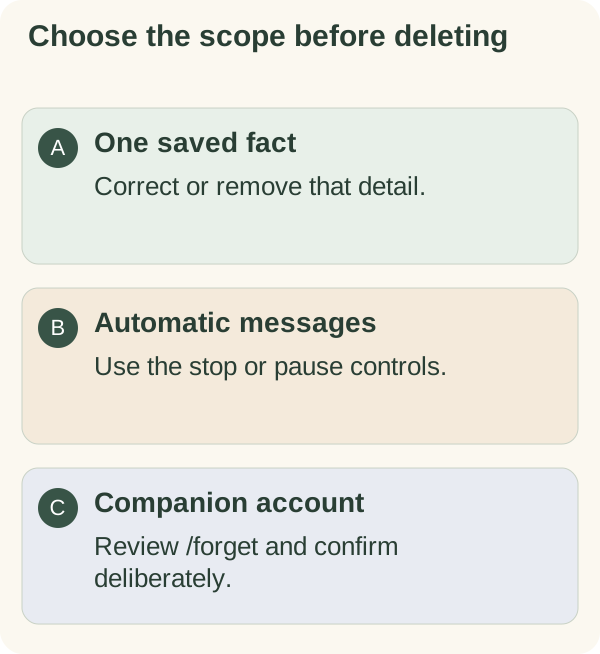
Use /forget when you intend to delete the bot-held companion account and its records. Read the confirmation, then choose deletion or Cancel. A request, an accepted job and confirmed completion are separate steps.
Review and confirm or cancel
Open the private chat with @armoredkitten_bot, send /forget and read the confirmation. Choose Cancel if you are unsure. You can first review saved facts or request an export.
Use the offered delete-confirmation button only when you intend the account-wide action. Follow the status the bot returns. A pending message is not completion; a busy or failed response needs its stated retry step. Do not infer success from a button tap alone.
What the bot removes
The flow removes the bot-held companion profile and associated records, including saved conversation and facts, plans, goals, tasks, habits, check-ins, calendar entries, preferences and delivery state. It removes the wallet link and stored email/trial details, along with account-move and pending recovery information handled by this account flow.
One-way trial-claim fingerprints can remain to prevent deletion from restarting a previously used entitlement. This retained protection is different from a retained conversation or an active account. Deleting data does not grant a new trial or establish eligibility.
The current flow also removes the account's username and daily usage records from the companion's account-level activity view. It does not promise to erase every historical operational aggregate, backup or external copy. Read the current site privacy information for service-level boundaries.
What this command cannot remove
The command does not delete your Telegram chat, a file you downloaded, a copy another person saved, information already received by external providers or activity on a public blockchain. Those systems have separate controls.
If your aim is fewer messages, use stop or pause. If one saved detail is wrong, use single-fact correction or deletion. Those smaller actions have different effects from deleting the account.