Find the right control
- Step 1Choose what to share
- Step 2Review saved information
- Step 3Find export or deletion controls
Choose what to share with the companion and which data control matches your purpose. Encryption at rest is not end-to-end encryption: the running service still reads the content needed for its features.
Understand what the bot processes
The companion handles your messages and feature choices to provide chat and planning functions. When it generates an AI response, selected conversation and relevant context can be sent to Ollama Cloud, or to the DeepSeek API if Ollama Cloud is not set up or its request fails. Some commands and controls are handled locally; not every button press is a model request.
Photo understanding has a separate consent flow. When enabled and used, a photo and question can be processed by the AI provider. Review the photo guide before sending an image, particularly if another person or private document appears in it.
Stored profile and conversation fields use encryption at rest. The service must still read relevant content to provide features. Do not treat the private bot chat as an end-to-end encrypted secret chat or a confidential professional service. Telegram's FAQ distinguishes its chat types and notes that third-party AI bots have their own privacy policies.
The owner's activity dashboard can show your Telegram username, saved language, join and last-seen days, access category, whether a wallet is linked and daily usage counts. Its account-level activity report excludes chat text, email, wallet address, country, first name and your chosen nickname. This describes that report, not a claim that the service never processes those fields elsewhere.
Review, download or delete records
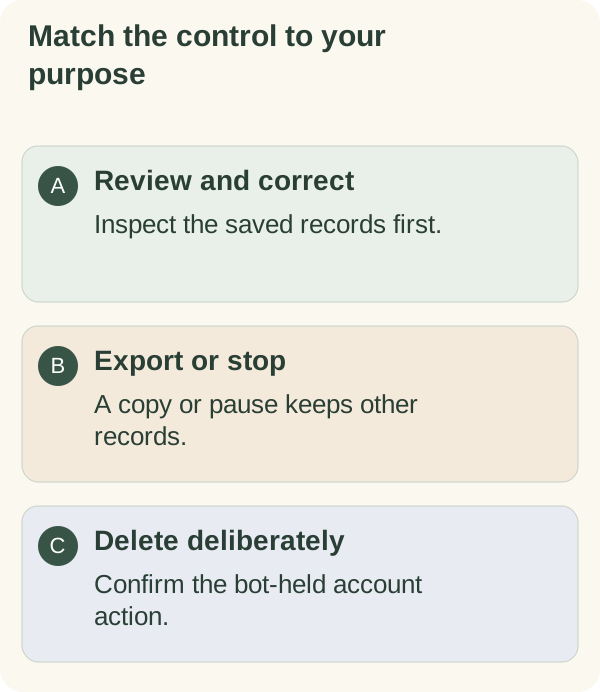
Choose the operation that matches your purpose:
- Review or correct: use
/memoryand the saved-facts controls. - Download: use
/exportfor a private snapshot of retained records. Follow the file-handling guide. - Delete: use
/forget, read the summary and confirm only if you intend the account-wide action. See deletion boundaries.
A Telegram account change uses a separate move or recovery flow. Downloading a file does not transfer the account, and changing accounts does not erase information already processed elsewhere.
Deletion can retain one-way entitlement-claim protection. It cannot erase Telegram history, your downloaded files, other people's copies, external-provider records or public-chain activity. Review the site privacy information for current service contacts and policies. External services have their own policies and request processes.
Choose notification and photo controls
Open /settings to inspect current message preferences; choose Messages to find the category controls. Setup can initialise disclosed defaults; review the actual category and global states for your account. Use /quiet or /stop for the global automatic-message stop, including requested check-ins and calendar reminders. /notifications or /resume lifts it while preserving category choices.
Pausing messages does not delete records. Enabling a category or replying does not lift the global stop. Photo understanding and optional reply-quality learning have separate consent controls. Follow the message-control guide before changing several settings at once.
If an export, correction or deletion fails, follow the returned recovery instruction. A request or acknowledgement alone does not prove the result.