A scheduled check-in is a follow-up you request about an action or goal. Say what you want to be asked and when, then review the saved confirmation. Mentioning a goal alone does not request a reminder.
Schedule a follow-up
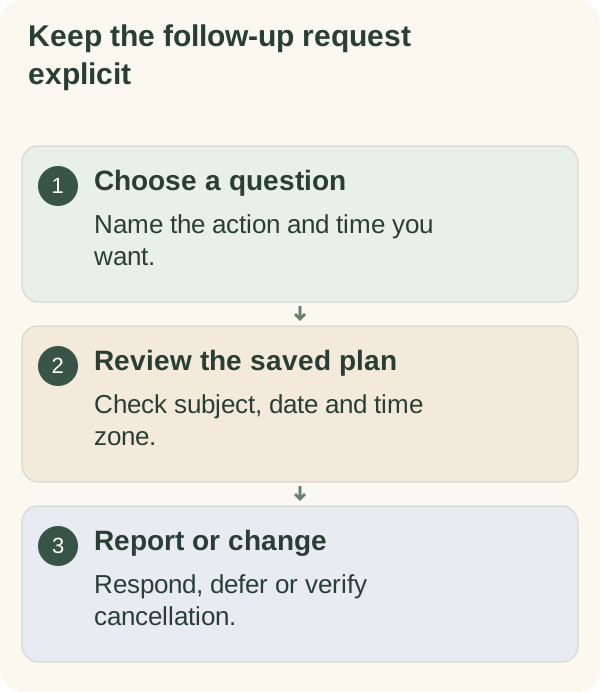
In the private chat, ask for a follow-up with a recognisable subject and time. For example: “Ask me tomorrow at 3 pm whether I opened the draft.” Use your own action and the time you actually want.
The companion can work from an explicit request or your clear acceptance of its immediately preceding check-in offer. A general “yes” elsewhere in the conversation is not an instruction to create an unrelated follow-up.
Review the date, local time and subject in the resulting confirmation. A request in a browser worksheet or a sentence you copied has not by itself created a Telegram check-in.
Check the saved time zone
Local times use your saved zone. Review it in Settings before relying on “tomorrow afternoon” or another relative request. A fixed offset and a named zone can behave differently around seasonal clock changes.
If a date or time is wrong, ask to change or cancel that particular follow-up and check the new confirmation. Avoid creating another copy as a substitute for verifying the existing one.
Respond when it arrives
The check-in offers:
- Done for your report of completion.
- Partly for partial progress.
- Not yet when it has not been completed.
- Later to defer that check-in by two hours.
Choose the report that fits. It can be used to continue the conversation, but is not independent proof of what happened. Requested follow-ups have their own schedule, separate from ordinary outreach. They still obey applicable global stops, quiet hours and account or service restrictions. You do not need to submit a report to make a record look complete.
Cancel or recover
Ask the companion to cancel a pending follow-up. Use /memory to review available planned check-ins, and describe the specific subject if several could match. Review the actual result rather than treating the request itself as proof of cancellation.
If a button is old or unfamiliar, return to the private chat and check the current plan. Account, service or delivery limits can delay or prevent a message. A pending follow-up may be retried under the service's rules, so check its state before adding a duplicate.
Daily notes, checklist nudges, conversation starters and calendar reminders use separate controls. Read message controls if you want to change more than the one requested follow-up.
Give the question a useful scope
“Did I open the draft?” is a different question from “Did I finish the whole application?” Choose a scope you would find useful to answer, including a practical obstacle or a changed decision.
Use the check-in question examples for ideas, or prepare an action with the daily planner. The browser notes remain separate from the bot's saved reminders.