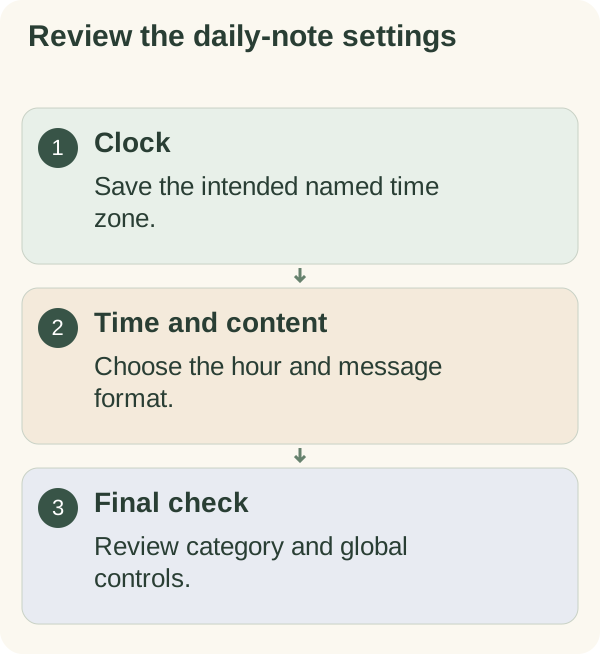
Choose the local time and content of your daily note in Settings. Check the saved time zone first, then confirm the hour, format and enabled state together.
Set your time
Open /settings in the private chat, choose Messages, then open the daily-time control. Enter a 24-hour time such as 09:00 or a 12-hour time such as 7:30am. Read the confirmation, then reopen Settings to check the saved value.
The initial time is normally 09:00; use the actual value shown for your account. If an entry is rejected, use one of the displayed formats. A valid hour in the wrong time zone still produces the wrong local schedule, so verify the zone separately.
Choose what the message contains
Choose the daily-content control and select Encouragement + story, Encouragement only or Story only. The format is saved separately from whether the category is on.
Stories use the reviewed catalog and include a source link when sent. A country preference can influence selection without guaranteeing a matching story. If no eligible story is available, a story-only send can be skipped; the setting does not authorise an invented story.
Check the schedule and controls
Review four things together: the saved zone, local time, content format and enabled state. For example, 09:00 with Asia/Manila is a different arrangement from 09:00 with Europe/London.
Recheck the zone when travelling or when local clocks change. Named zones use the clock rules available to the service. The time-zone guide explains the setup.
To pause only the daily category, use its pause control. To stop automatic outreach more broadly, use /quiet or /stop. Changing the time, changing the format or replying does not remove that global stop. See daily-message controls before resuming.
These settings do not change a calendar entry's time or a requested follow-up. Review those in the calendar and check-in guides.