Checklist reminders concern the current local day's task list. Open /today to check their actual status, turn them on if you want them or pause them without deleting tasks. They are separate from a requested check-in and other scheduled message types.
Check or turn on reminders
In the private chat, send /today and read the reminder status. If it is off, choose Turn on reminders. If it is on and unwanted, choose Pause reminders.
A saved named time zone is needed for this schedule. Set it through Settings → Messages or the offered time-zone control if necessary, then return to /today and check the status again.
The account's onboarding and proactive-message policy can affect the starting state and delivery. A guide cannot establish that every new or returning account has the same settings. Read the actual notice and card.
For adding, completing or removing items, use the daily task-list guide.
What a reminder contains
The current scheduler has seven possible local slots: 09:00, 11:00, 13:00, 15:00, 17:00, 19:00 and 21:00. These are opportunities for eligible delivery, not a promise of seven messages.
A checklist nudge reports remaining actionable tasks and progress, with a route back to the list. Its reminder text omits task titles. Paused, deferred or otherwise ineligible tasks can affect whether there is work to nudge about.
At the morning slot, an empty list can receive a planning prompt with an Add a task control. That does not create a task on your behalf.
Why a slot may be skipped
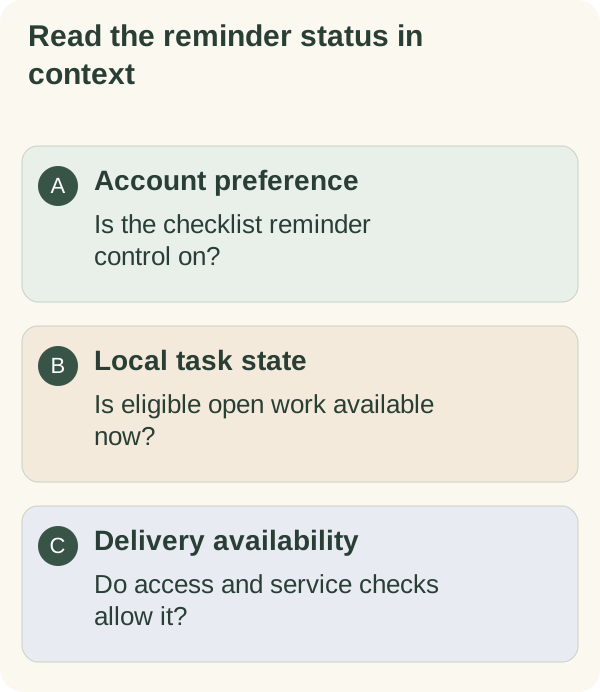
Delivery depends on current task state, account access, time zone, service availability and message settings. Safety conditions or a paused proactive-message setting can also prevent a message. A slot whose short delivery window has passed can be skipped.
No nudge is needed when there is no eligible open work. A missing message does not mean the list was deleted or that an action was completed.
If a delivery result is uncertain, the service avoids a blind repeat of a message that may already have arrived.
Pause reminders without deleting tasks
Choose Pause reminders on /today and review the confirmation. The tasks and completion states remain separate from the reminder preference. Return to the same card if you later want to enable them.
Use /quiet when you want to stop proactive messages more broadly. /notifications is the broader re-enabling control, so read its scope before using it merely to resume one message type.
Daily notes, conversation starters and feature tips have their own settings. Follow the message pause guide when you want a narrower change.
Check the list before changing it again
If a reminder has not arrived, first check /today, the saved zone and the actual message controls. Repeatedly adding the same task or toggling the setting does not verify delivery.
For one follow-up you explicitly choose at a particular time, read scheduled check-ins. For a recurring dated reminder, use the private calendar. Those are different arrangements from checklist nudges.