Ask for a weekly reflection when you want a limited review of recent conversation and selected records. Send /week or choose Reflect on my week from My goals. The response is read-only and does not establish a complete or independently verified account of your week.
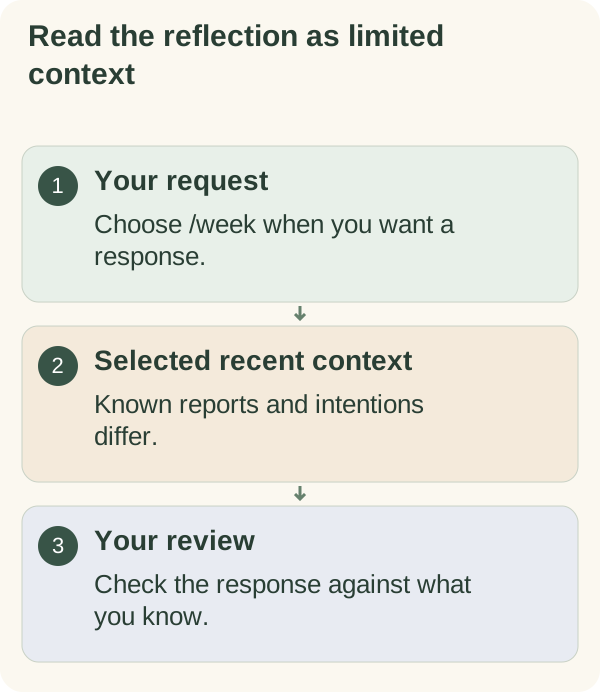
Request the reflection
Open My goals → Reflect on my week, or send /week in the private chat. It is a request for a response, not an automatically scheduled weekly report.
The current implementation sends selected context to Ollama Cloud to produce the reflection, or to the DeepSeek API if Ollama Cloud is not set up or its request fails. Read companion privacy for that processing boundary. Use the selected language supported for your account and review the result against what you actually know.
What it can include
The window covers the last seven local days, including today, using the companion's local-time calculation. Available context can include recent conversation turns, goal steps marked complete during the window, self-reported habit check-ins, saved notes tagged as wins and an eligible current focus-plan title.
The amount of context is limited. Enabled support features and safety filters can affect which records are supplied. This is not a promise to retrieve every event, task, message or calendar entry.
Keep these distinctions visible:
- A completed-step mark is a recorded report.
- A habit check-in describes what you reported for its date.
- A win note is dated when saved, which may differ from the event date.
- A focus-plan title records an intention, not evidence that you worked on it.
- Missing information remains unknown.
Understand its limits
The reflection response cannot create or edit goals, habits, reminders, facts or memory through that request. Read-only does not mean that no information is processed: the selected context is still used to generate the reply.
Older summaries, saved facts, unrelated active goals and planned check-ins are not used to fill gaps in the week. A saved focus-plan title remains an intention, not a record of completed work.
Compare the response with your own records and correct the conversation if it describes something you do not recognise.
If an answer is unavailable, check the service or access message. Avoid sending repeated /week requests while one is processing. You can also choose a shorter ordinary question, subject to its own account availability.
Privacy and safer notes
Relevant titles, habit notes, win notes and recent conversation can be supplied for this request. Keep those inputs non-sensitive. Safety filtering does not make an AI summary an appropriate basis for medical, legal or financial decisions.
Use /memory to inspect available saved information, /export for a data copy and /forget for the wider deletion flow. Reading a reflection does not erase the underlying records, and deleting data in the companion does not delete an export you already saved elsewhere.
Choose a manual review when you want to supply the observations
The weekly review worksheet lets you write the observations yourself. It does not read Telegram history or automatically send your notes to the companion.
Use the weekly review template to decide which unfinished items still matter. A useful ending can be one adjustment, a question to resolve or a decision to leave optional work paused. A more complete-looking summary is not a reason to invent missing results.