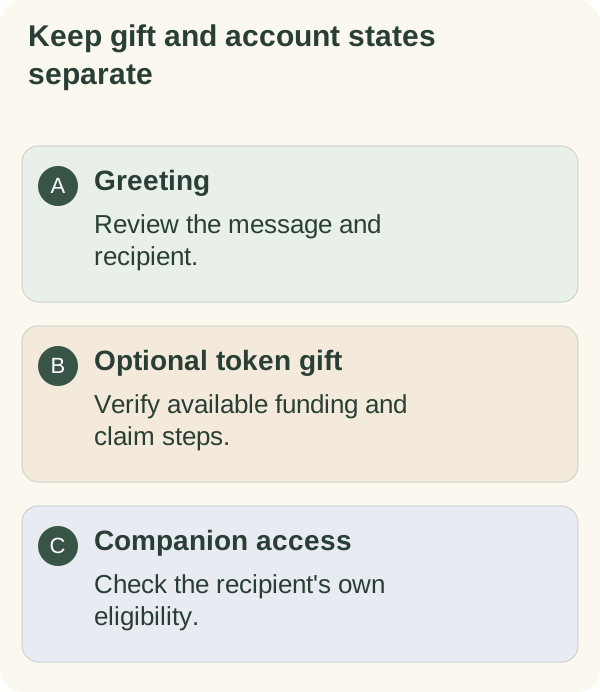
The /gift command opens a route to the greeting studio. It does not transfer tokens from your wallet. If an optional token-gift flow is available, review that flow separately from the greeting and from the recipient's companion access.
Open the gift flow
Send /gift in the private companion chat and use the offered greeting-builder button. Choose a greeting first, then inspect which optional services the current builder makes available. A page link or public feature description is not proof that live gifting is enabled.
If you only want to invite someone to the companion, use the sharing flow. It is a separate action from funding a gift.
Review a token gift before approving
For any available wallet-funded gift, check the token, network, amount, destination and all displayed costs before signing. Read the wallet's actual approval request. An email invitation or a preview does not prove that funding succeeded.
The companion chat command cannot sign a wallet transaction for you. Keep recovery words and private keys out of chat, forms and support messages. A private claim link can convey the ability to claim; an email address alone should not be treated as a lock on it.
Network transaction costs are distinct from the gift amount and companion eligibility. Solana's transaction documentation explains that transaction instructions execute together and fees can still be charged on failure. Use the actual result and transaction status rather than assuming a failed page means no on-chain action occurred.
What the recipient must do
The recipient follows the current private claim instructions and supported wallet flow. An email invitation is not access to the companion. Opening an email, opening a greeting, claiming a funded gift and linking a wallet are different steps.
If the companion asks for email verification or wallet linking, follow the prompts for that account. A gift can change a wallet balance but does not guarantee current or lasting access. Review the access guide and wallet-linking steps.
For an uncertain funding or claim result, inspect the current state before attempting it again. Do not create a second gift just to replace an unconfirmed first attempt. If you meant to send an invitation only, return to sharing.