Choose the language you want to use in the private companion chat. Confirm or change the language on the first card during setup, or return to Settings to change it later. The bot setting and the website language are separate choices.
Change the companion language
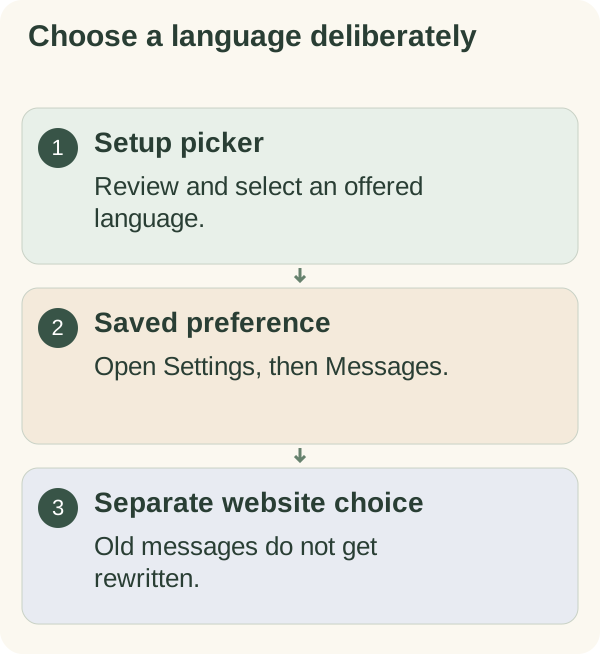
Open the private chat with @armoredkitten_bot. During setup, the first card uses your Telegram app language as a suggestion when the bot offers it, otherwise English. Tap Change language to open the picker; confirming the card saves the language it was shown in. You can change it later with Choose my language in /settings or by asking the bot.
For an existing account, send /settings, open Messages, choose Choose my language and select an offered button. Read the confirmation and reopen Settings if you want to verify the saved choice. A closed beta can offer a smaller reviewed list than the general service.
You can also send how do I change language? to open the picker. An explicit request such as set to Chinese can save a supported choice directly; read the language confirmation before continuing. A country or detected-language suggestion still needs your selection and does not silently replace the saved preference.
Know what the setting changes
The selection affects registered interface text and the language requested for future companion messages. It does not rewrite previous Telegram messages, translate your stored conversation or switch the website's language. Generated responses can still need correction.
Some text uses an English fallback when a translation is unavailable. The language picker is a better guide to the choices offered to your account than an old list in an article. A tutorial translation and a bot-language release have separate review boundaries.
If a language is missing or confusing
Choose from the current picker. If a button is old, return to Settings rather than repeatedly pressing it. When reporting confusing text, include the control label and the language you selected. Leave private conversation details out of a general support report.
Language, names and local time solve different problems. Continue to names and personalization, time-zone settings or the quick start for the next setting you need.