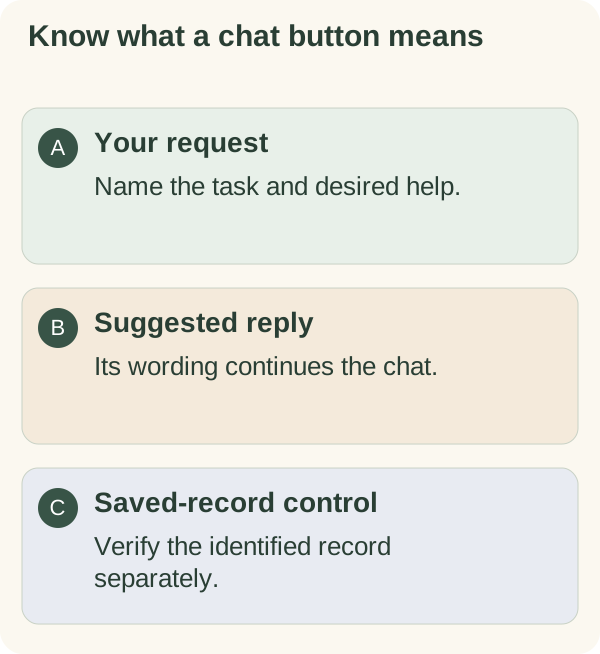
Describe the task you want help with in your own words, or use a suggested reply when one fits. A suggestion sends its text into the conversation; it is not the same as every dedicated save or completion control.
Ask naturally or choose a starter
In the private companion chat, name the practical question. For example: "I need to email a client. Help me choose a clear subject line." Add only the context needed for that request.
A starter prompt can help begin, but you can write your own message. Say whether you want an explanation, wording to review or one smaller action. The response can be mistaken; check names, dates and details before using it.
Text chat does not mean the companion can browse any website, hold a voice call or complete work in another service. Photo understanding has its own consent and image flow.
Use a suggested reply
Some responses offer short reply buttons. Read the wording before tapping one: the selected text becomes your next conversational request. If none fits, type your answer instead.
A suggested phrase such as "Done" is not necessarily the same as marking a specific saved task complete. A dedicated task, habit or check-in control acts on the identified record. When you intend a saved change, read its confirmation and reopen the relevant card.
Not every response needs suggestions. A missing row of buttons does not establish that your message failed.
Recover when a button is stale
Suggestions are associated with a particular response and can expire after the conversation changes. If one is unavailable, continue with a fresh message rather than pressing it repeatedly. Name the task or card you want to revisit.
If a limit or service problem interrupts the reply, follow its message. For saved actions, use goals and steps, today's checklist or habit reports. See privacy controls before pasting sensitive context.