Set a focus session
- Step 1Pick one visible result
- Step 2Decide when to stop
- Step 3Review the session
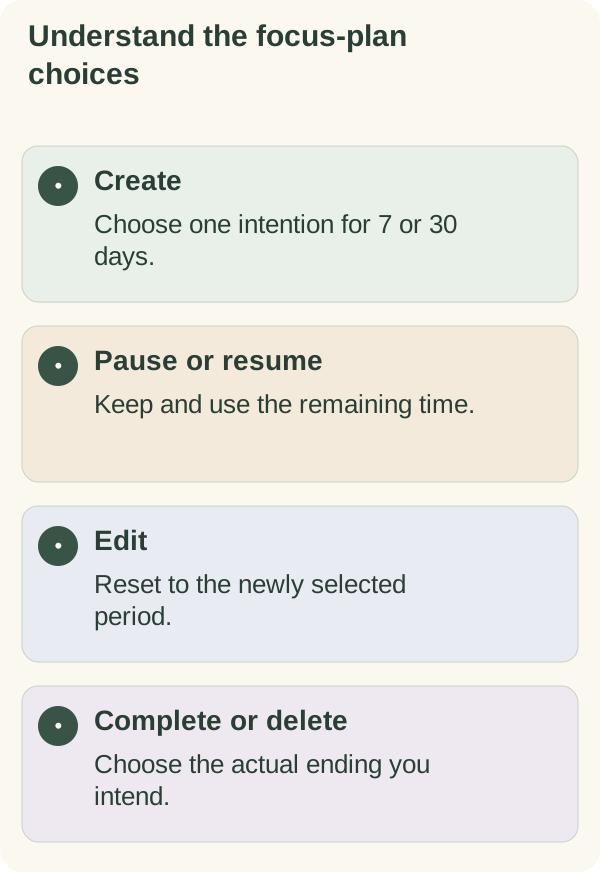
A focus plan stores one intention for a 7- or 30-day period. Use it to keep that intention visible, then review, pause or change the arrangement when needed. It is separate from a record of sessions you actually completed.
Start a plan
Open My goals → Focus plan, or send /focus. When there is no current plan, the card offers Start 7 days and Start 30 days. Choose a duration and enter a short title when prompted.
You can also send /focus 7 Practise the marked guitar passage or /focus 30 Read the selected book. These are illustrative titles, not recommended practice amounts or learning deadlines.
Review the saved title, duration and status. While the bot is waiting for a title, /cancel ends that input without creating the plan.
Only one active or paused plan can be current at a time. Pausing keeps that plan current; it does not open a second current-plan slot. Complete or delete the current plan when you want to replace it with a new one.
Understand how the title is used
The title describes an intention. It does not establish whether you practised, read or completed anything during the period.
When daily messages are enabled, the title may be used in their context. A requested /week reflection can also receive it as the stated focus. Those requests involve the relevant AI provider, so keep the title non-sensitive.
The stored title is encrypted at rest and appears in /memory and /export. Read the privacy guide and weekly-reflection guide for those separate data uses.
Change or end a plan
Open /focus to see the current controls. Use Pause, Resume or Done for the status change you want.
To change the title or duration, use the edit command shown in the card's help text:
/focus edit 7 Practise the revised passage
Choose 7 or 30, followed by the title you want. Editing resets the chosen period: an active plan starts a new window from the edit, while an edited paused plan receives the full selected duration to use on resumption. Check the resulting card rather than assuming an edit keeps the old remaining time.
An ordinary pause preserves the remaining time. Resuming uses that remainder. When an active period ends, its status can become expired; that does not mean the activity was completed.
Delete a plan deliberately
Use the delete control for the current plan, choose a saved plan from the delete picker, or send /focus delete <id>. Read the confirmation before completing deletion.
Deleting a focus plan is different from deleting the full companion account history. Use the forget guide for that broader flow, and keep any exported copy appropriately stored.
If you cannot open the plan
Start the private chat and reopen /goals or /focus. A fresh card helps when an earlier button no longer matches the current state.
If an access or service message appears, follow it rather than repeatedly creating the same plan. The access guide and troubleshooting guide cover those situations. A plan does not change account eligibility or guarantee a scheduled message.