Set up a habit
- Step 1Choose a repeatable action
- Step 2Confirm the intended days
- Step 3Check the saved habit
Use My habits to save a routine you want to track, then record the occasions you know about. Open My goals → My habits, or send /habit in the private chat. Start with one clear title and review the saved card before adding more.
Choose a habit or a one-off task
A habit describes something you intend to repeat, such as opening a book after lunch. A daily task can hold a one-off action, such as returning the library book.
Choose an action you can recognise when reporting it. You can try the browser habit tracker first, but its schedule and records stay separate from the Telegram companion.
Add a habit
Open My goals → My habits or send /habit. Choose Add a habit and enter the title when prompted. Alternatively, send a command such as:
/habit add Read after lunch
The command uses your words as the title. Review the reply and reopen /habit to check the saved item, its ID and its status. The ID in your account will differ from examples in this guide.
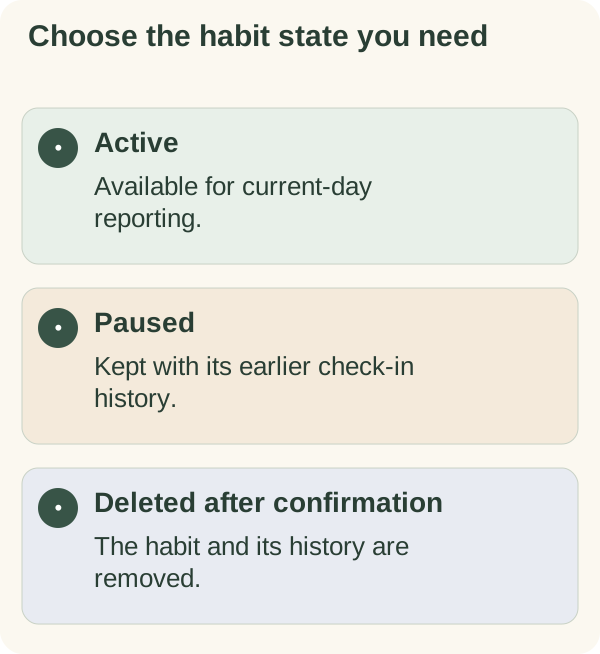
The current limits are five active habits and 50 saved habits in total. Pausing a habit frees an active place while preserving it in the saved total. Deleting an old habit frees a saved place but also removes its history.
While the bot is waiting for a title, /cancel ends that input without creating the habit.
Edit, pause or remove a habit
Use Edit beside an item to change its title, or send:
/habit edit 12 Read at the next suitable opening
Replace 12 with your habit's actual ID. Check the refreshed card after making the change.
Pause stops the habit being active while keeping earlier check-ins. Resume makes it active again, subject to the active-habit limit. The equivalent commands are /habit pause <id> and /habit resume <id>.
To remove a habit, use the delete picker or /habit delete <id>, then read and answer the confirmation. Deleting it also deletes that habit's check-in history. Use a pause when you want to keep that history and reconsider later.
Record the result separately
A saved habit is an intention. A check-in is your report about a particular local day. Use the habit check-in guide for recording, correcting and interpreting those reports.
If a routine stops fitting, inspect the actual obstacle before changing the title or adding prompts. The restart guide helps distinguish a new arrangement from make-up work.
Know where titles and notes may appear
Habit titles and check-in notes are encrypted in the companion's stored records. They can appear in /memory and /export, and a requested weekly reflection can use relevant titles and reports. Enabled daily messages may use active titles and recent status; that is a separate use from storing a habit.
Keep titles and notes short and non-sensitive. Read companion privacy for the fuller data explanation and weekly reflection for its limited context. Use /forget for the broader deletion flow rather than treating one habit's delete button as account deletion.
If a control no longer matches
Send /habit for a fresh card, check the ID and use the current control. A paused item must be resumed before it can receive a new report. If an access message appears, follow that message; repeatedly adding the same habit will not resolve an account or service issue.